Rulesthat send each click where it converts.
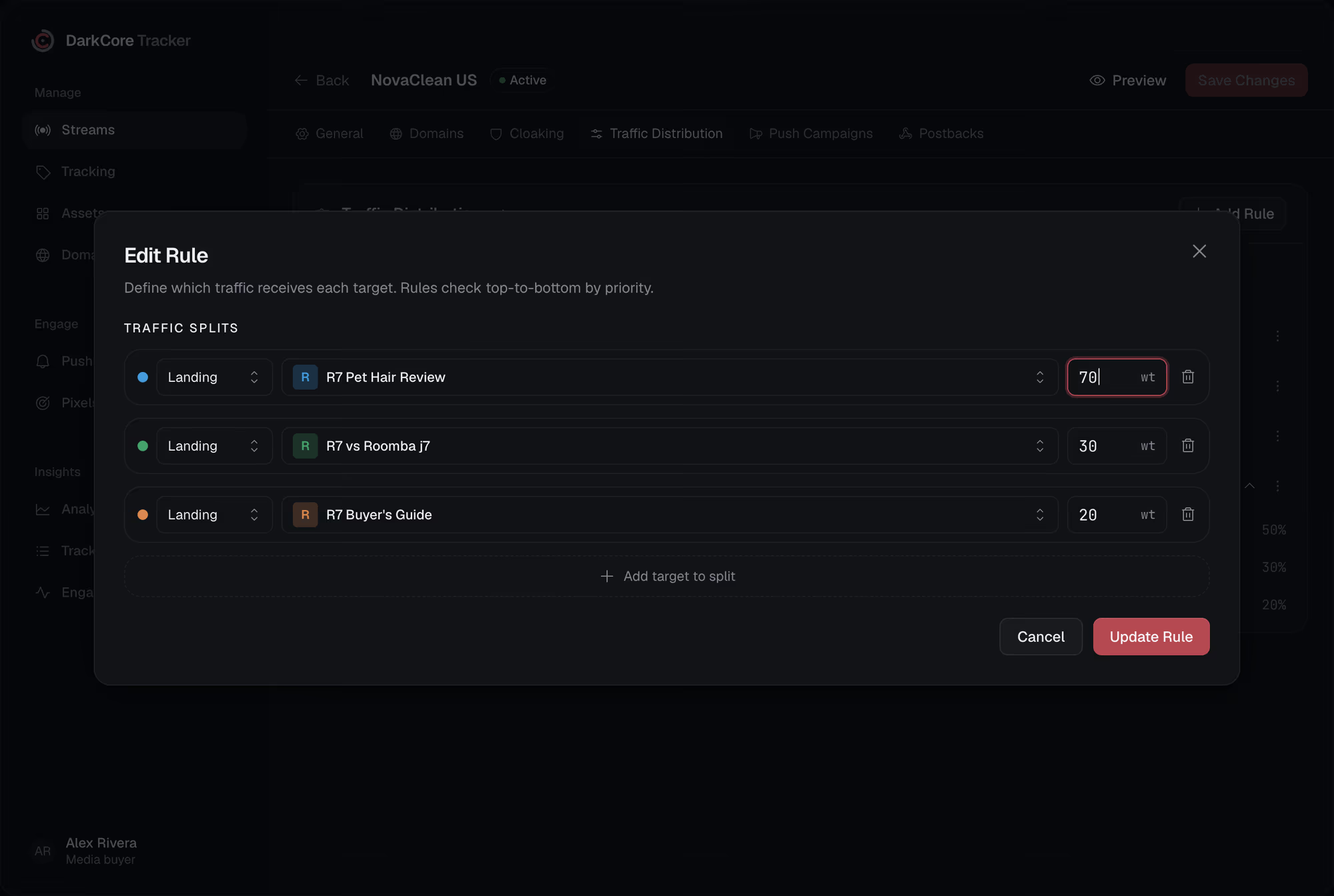
A stream holds a list of rules. Each one has its conditions and its targets; the tracker checks them top to bottom and the first rule that matches sends the click.
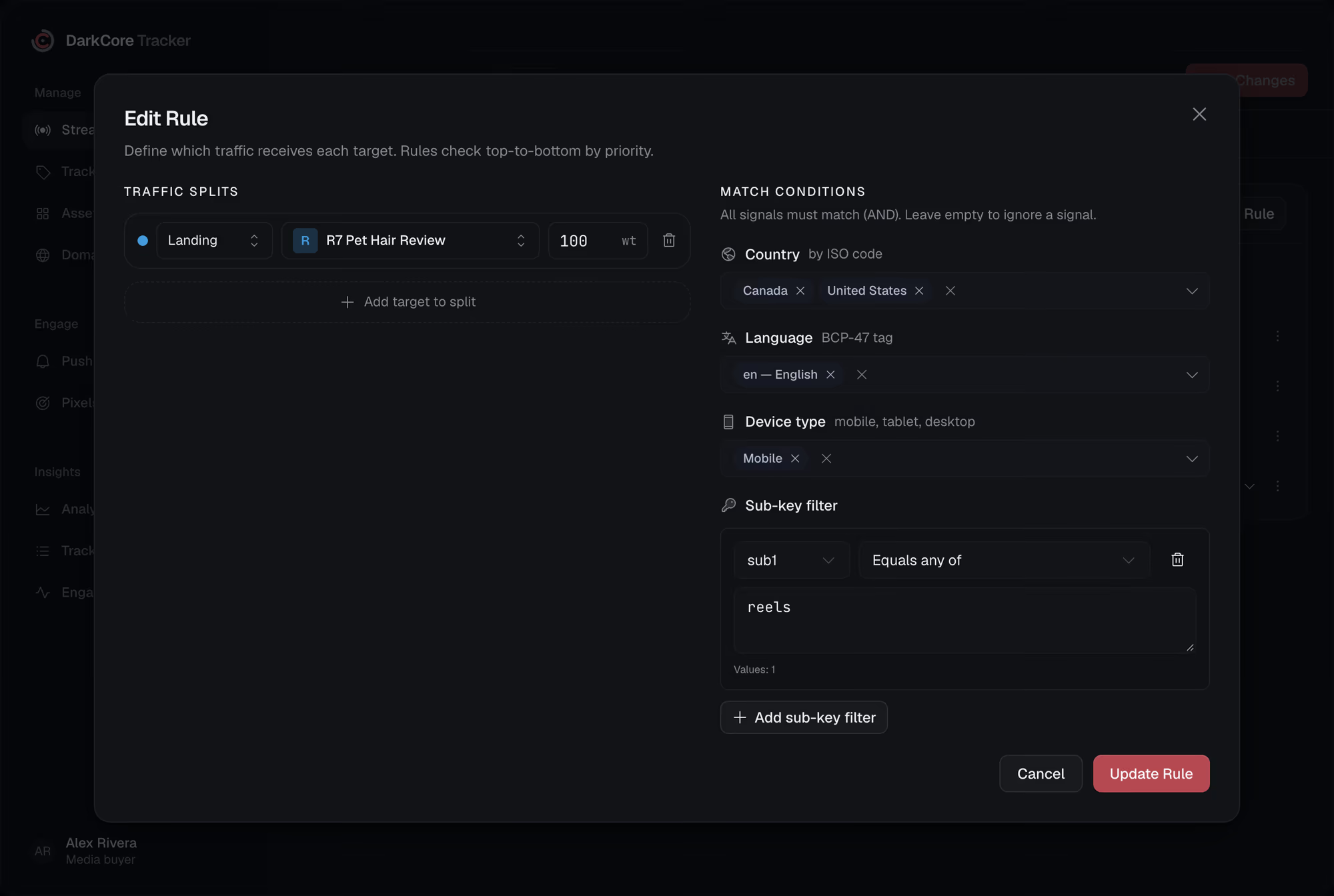
One link for every audience, and the page that works for US iPhones is shown to German desktops too.Here each audience gets its own rule, and you can reorder them by dragging.
Five kinds of condition.All of a rule's must match.
Country
A list of countries by ISO code. The click's country comes from its IP.
Language
The browser's language: en also matches en-US, pt also matches pt-BR.
Device and OS
Mobile, tablet or desktop; Android, iOS, Windows, macOS or Linux.
Sub ID filters
Any of sub1 to sub10, or any slot at all: equals, not equals, starts with or contains a list of values. Up to ten per rule.
Fallback
A rule with no conditions catches everything the rules above it did not. Without one, an unmatched click is logged as no route.
The order is the logic.Drag to change it.
Rules are checked from the top, and each row shows its conditions as chips: flags, language, device, sub filters. A rule with no targets is skipped.

Questionsabout this feature.
Can I route by a parameter that is not a sub?
Yes. Map the source's own parameter to one of sub1 to sub10 in the stream, for example external_id to sub7, and filter by that sub.
Can a rule filter by city, ISP or browser?
Not today. Rules filter by country, OS, language, device type and subs. City, ISP and browser are in Tracker Logs and in reports.
How fast does a change reach live traffic?
Save the stream and the new rules are served without a restart or a new link.
Give every click its route.
Write to us in Telegram. We will show the tracker on your own streams.